





Clarius-Klassenzimmer

Clarius Vet Bladder AI

Shelley Guenther, CRGS, CRCS

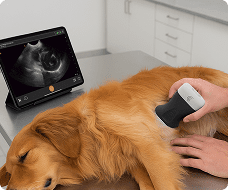
In this instructional video, Shelley and her dog, Squish, demonstrate how to use the Vet Bladder AI tool on a Clarius veterinary scanner to easily identify, measure, and calculate the volume of a patient’s bladder.

Key Highlights

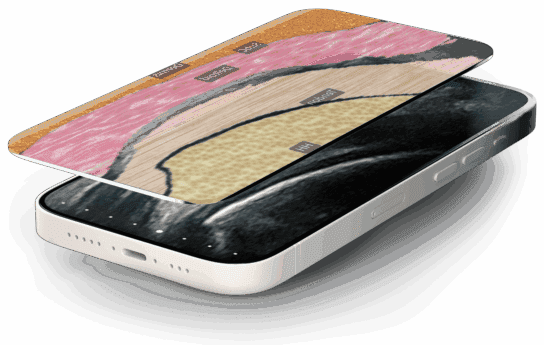
AI Segmentation and Navigation: Using the bladder preset, the user activates Bladder AI from the tools menu, which applies an adjustable-opacity segmentation mask directly over the bladder to help identify the structure and the scanning plane.

Automated Transverse Measurements: Starting in the transverse plane, Shelley fans the scanner to find the largest image of the bladder and freezes the screen. The AI automatically places calipers to measure the bladder’s height and width, saving these initial data points for the volume calculation.

Guided Sagittal View: After capturing the transverse measurements and unfreezing the image, the software prompts the user to rotate the scanner 90 degrees to capture the sagittal view.

Volume Calculation & Reporting: Upon finding and freezing the largest sagittal segmentation, the tool automatically calculates the bladder’s length and total volume. The images and measurement data are then seamlessly saved to the report page and the Clarius cloud.

Clinical Benefits: This automated tool is highlighted as a great way to reduce overall exam times while improving measurement efficiency and accuracy across veterinary care teams

In this tutorial, see how T-Mode provides instant clarity when evaluating abdominal anatomy.

Key Anatomy & Workflow Covered:

Right Upper Quadrant (RUQ): Optimize gallbladder views, sweep through the liver in transverse planes, and automatically identify the right kidney.

Left Upper Quadrant (LUQ): Easily locate and differentiate the spleen and left kidney.

Interactive Opacity Control: Swipe right-to-left across the screen to adjust grayscale opacity, an essential tool for teaching students how to distinguish shades of gray.

Cloud Archiving: Save labeled, color-coded scans directly to patient reports and the Clarius Cloud.

Spécialités : Veterinary
Applications : Vet

00:00
–
02:06
Hi, I'm Shelley and this is squish. And today we're going to tell you about vet bladder AI. It's a really great tool to help you first identify the bladder and identify the scanning plane. And then it's going to actually automatically measure the bladder for you. So I'm using the vet scanner here in the bladder preset.
And we're going to start to scan I'm going to start in the transverse plane. You can start in sagittal as well whatever your preference is. And I'm going to place my scanner over the region of the bladder. And we'll activate the bladder AI. So from the tools menu we'll activate that. And then what we'll do is notice a segmentation over the bladder.
So that identifies it really nicely for you. And we can sweep up and down I can also adjust the opacity of that segmentation mask as well just to make it a little bit easier to see. So I'm going to fan up and down a couple of times until I get the largest image of the bladder and little squishes bladder is pretty full here When I'm ready, I'm going to hit the freeze button and the calipers are automatically going to be placed.
So we've got our measurements up here for the height and width of the bladder. The camera icon is flashing. So I'm going to take a picture that saves the first couple of measurements of the bladder volume calculation. I'm going to unfreeze my image. And we're going to get a little prompt that says rotate the scanner 90 degrees.
And this will be for the sagittal view. So again we can see our bladder nicely segmented. And I'm going to scan back and forth until I get the largest segmentation. And then I'll freeze. And again we get a nice length and a bladder volume calculation. And we'll take that image and save the measurement information to the report page as well as the various cloud.
So there you go. It bladder AI. It's a really great tool to reduce your exam times and improve measurement efficiency and accuracy across your care team.

Verwendete Produkte

Weitere Kurse

Angebot anfordern

Mit 8 verfügbaren Scannern bieten wir eine auf Ihre Bedürfnisse zugeschnittene kabellose Ultraschalllösung. Fordern Sie ein Angebot an, um herauszufinden, welcher Scanner die beste Ultraschallbildgebung für Ihre Praxis liefern kann.

⚠️ Clarius-Ultraschall ist nur für medizinisches Fachpersonal bestimmt.

Mit der Angabe meiner E-Mail-Adresse erkläre ich mich damit einverstanden, Einladungen zu Clarius-Webinaren, Fallstudien, Whitepapers und mehr zu erhalten, und ich stimme den Clarius-Datenschutzbestimmungen zu. Ich kann mich jederzeit wieder abmelden.